Internal Release
Redesigning qualitative data management for foundations
Stories 2.0
OVERVIEWMy role
Product Design Lead
Team
Product Manager
Engineering
Client Management
Company
UpMetrics
Data uploaded to platform for charting
Manually, monthly
HTML > rich text > re-export
The Problem
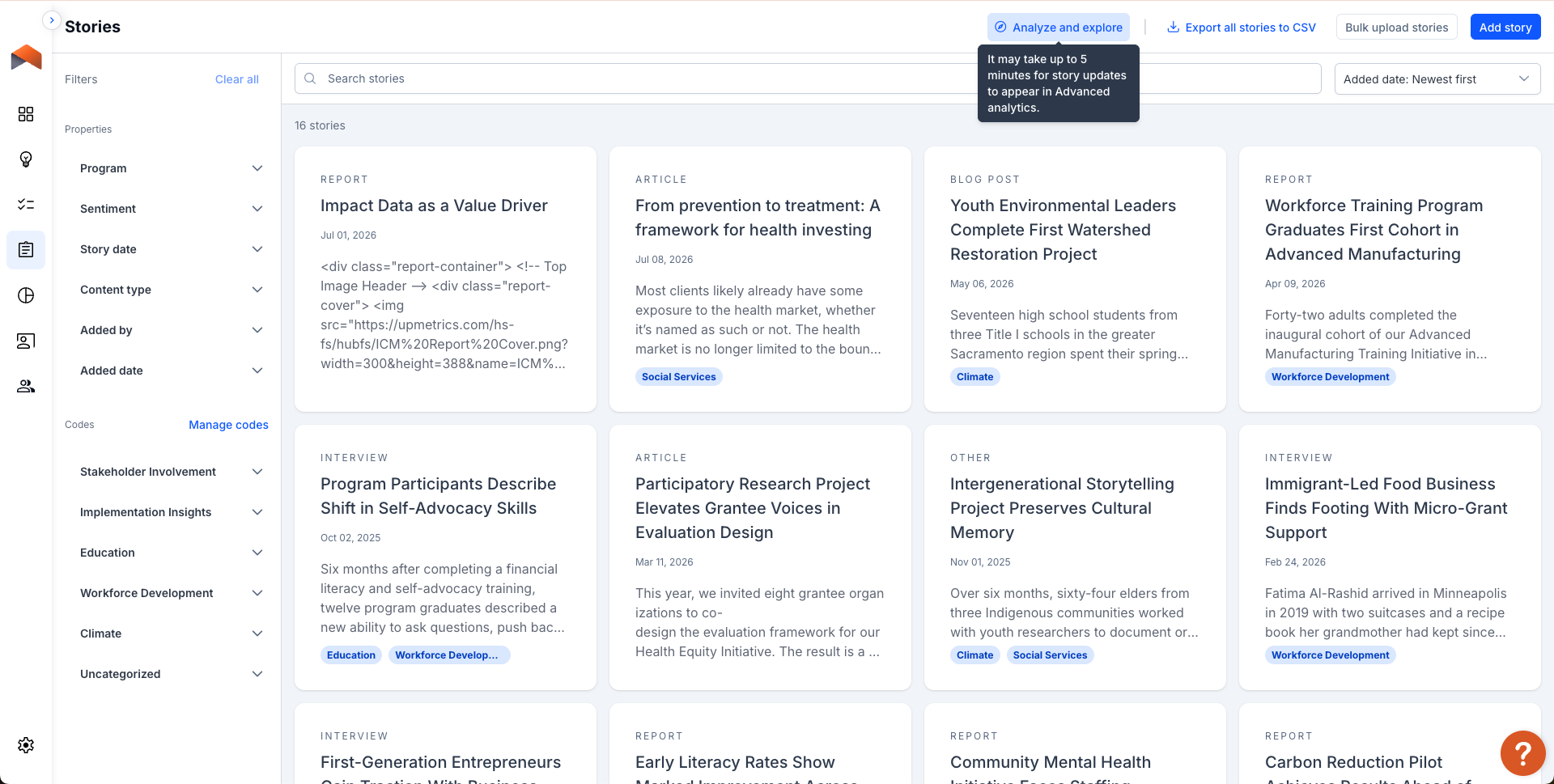
Foundations could enter stories directly in the platform — that part worked fine. The gap was afterward: no effective way to label, organize, or analyze that data once collected.
A second, distinct gap: tagging and goal/indicator assignment already existed in the legacy version, but there was no way to categorize, reorganize, edit, or delete tags. For the at-risk client specifically, this meant an ever-growing, unmanageable flat list with no governance.
Anything beyond simple storage got manually exported to Google Sheets — a real operational bottleneck, not a story-creation problem.
The stakes were explicit: a major client was at risk without an effective fix.
Before
Stories entered into platform manually

Data exported to Google Sheets
Touchpoint 1
Usability test
Can people use it?
Eric, Program Officer
Carly, Program Associate
Onyinye, Program Associate
THE SHORT VERSIONFoundation staff could collect qualitative data —stories — on the UpMetrics platform, but they had no way to label, organize, or analyze them once they were in.
I led design on a full rebuild — story creation, tagging, and a real path into charting — that closed the gap and helped retain a major at-risk client.
Timeline
6 weeks
Early Access Window

My Approach
Two research touchpoints, not one:
I protected this order deliberately — first-contact confusion can't be recaptured once someone self-teaches the interface.
Touchpoint 1
Touchpoint 2
5 participants
3 organizations
Real workflows, not synthetic tasks
Kerry, MEL
Luke, Program Associate

Rosa, Program Staff
GA Launch
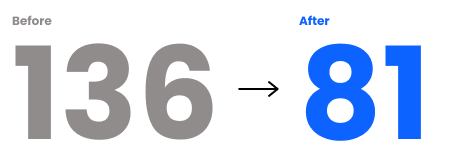
I also grounded the prototype and sessions in real usage data, not just an overall impression: I audited Ford's actual tag usage (136 tags → cut to 81 after removing low-use ones) to recommend concrete taxonomy limits — 13–15 groups org-wide, max 15 tags per group.
Touchpoint 2
Value Debrief
Did it actually help?
AI as Part of the Process
I use Claude as a working tool throughout design, not just for polish at the end:
Prototyping
I built the flat-list and Miller-columns taxonomy comparisons (above) as real clickable HTML prototypes — stakeholders reacted to something functional in reviews, not static comps.
Precedent research
I grounded the modal-to-full-page decision by citing established design-system conventions (Material Design, Atlassian, IBM Carbon) instead of relying on intuition alone.
Faster synthesis
I turned scattered research — call transcripts, design docs, findings — into stakeholder-ready summaries faster, and used it to plan exactly which visuals a presentation needs before building any of them.
Every decision above still required my own judgment to evaluate and defend — AI sped up the loop, it didn't replace the thinking.
Finding 1Different people had different expectations about cross-cutting tags
I predicted this risk before testing began. What I found wasn't confusion — it was disagreement:
“What should happen when the “Detroit” tag lives in both the Climate and Gender Justice tag groups?
Mental Model 1: Consistency
"The groupings help me make sure that we're tagging all the things appropriately."
— Kerry, wanting consistency
Mental Model 2: Independence
Group
Tag
Mental Model 3: Both At Once
"It would also be helpful to have just one umbrella, Detroit, regardless of the different buckets."
— Carly
Group
Tag
Group
Climate
Detroit
Tag
Detroit
Gender justice
Detroit
One object, two relationships
"I think there could be different meaning for the same code in different categories."
— Luke
Climate
Detroit
Gender justice
Detroit
Two unrelated objects
“one umbrella” view
Climate
Detroit
Gender justice
Detroit
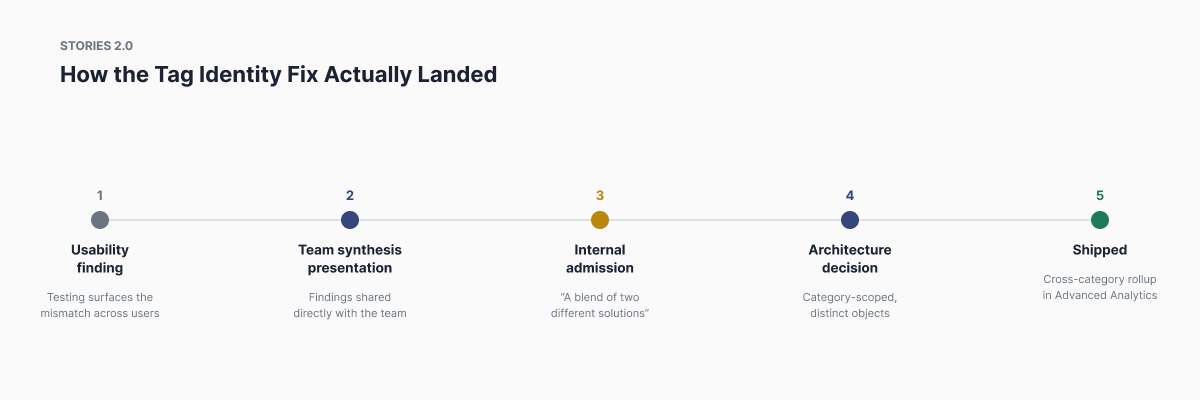
This became a real product conversation, not just a design fix. I presented this finding directly to the team: "Users universally expect a tag to mean the same thing regardless of group, the opposite of how the system works."
Our Product Manager Jourdan's response was a genuine admission — the system was "a blend of two different solutions."
Our engineering lead Tyler said: "We didn't really implement it the way tags are usually done."
The team didn't resolve it in that meeting — it got escalated as a product decision. My research is what surfaced the internal admission that the system was inconsistent.
No clean fix existed. My call: keep codes category-scoped, but let Advanced Analytics roll up across categories — and flag the deeper tension for further product decision rather than resolve it alone. The design iterated in stages: a first-time explanatory banner and inline group-membership display, then duplicate-detection errors and concrete impact messaging on deletion, then a final settled behavior — deleting a category deletes its codes entirely, with no "move to ungrouped" fallback.
"It kind of feels like our current implementation does half of each of these jobs."
— Jourdan, PM
Finding 2The form didn't fit the screen
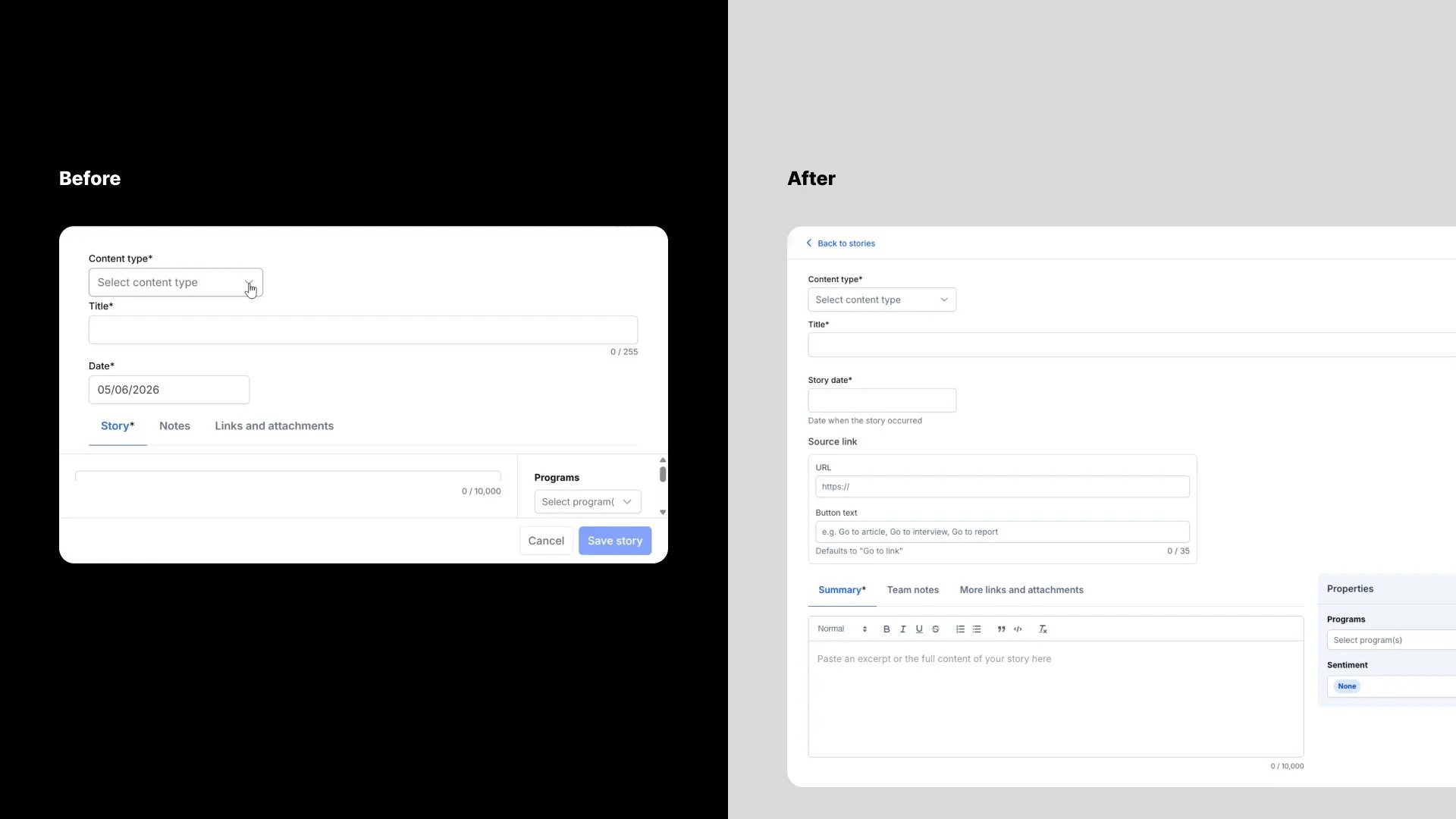
The Add Story modal during user testing. on a small laptop, and the full-screen Add Story page after testing.
"I can't really scroll here..."
— Eric, a Program Officer, unable to see the save button on his laptop
Root cause: fixed-height modal, not viewport-aware. Fix: full-page editing instead of a modal — framed as a curb-cut fix: helps small screen users especially, and improves things for everyone in the process. Two related problems got resolved in the same pass: an inconsistent edit affordance (now inline click-to-edit everywhere) and confusion over "link display text" (renamed to "Label," with example placeholder text and reordered fields for easier comprehension).
Finding 3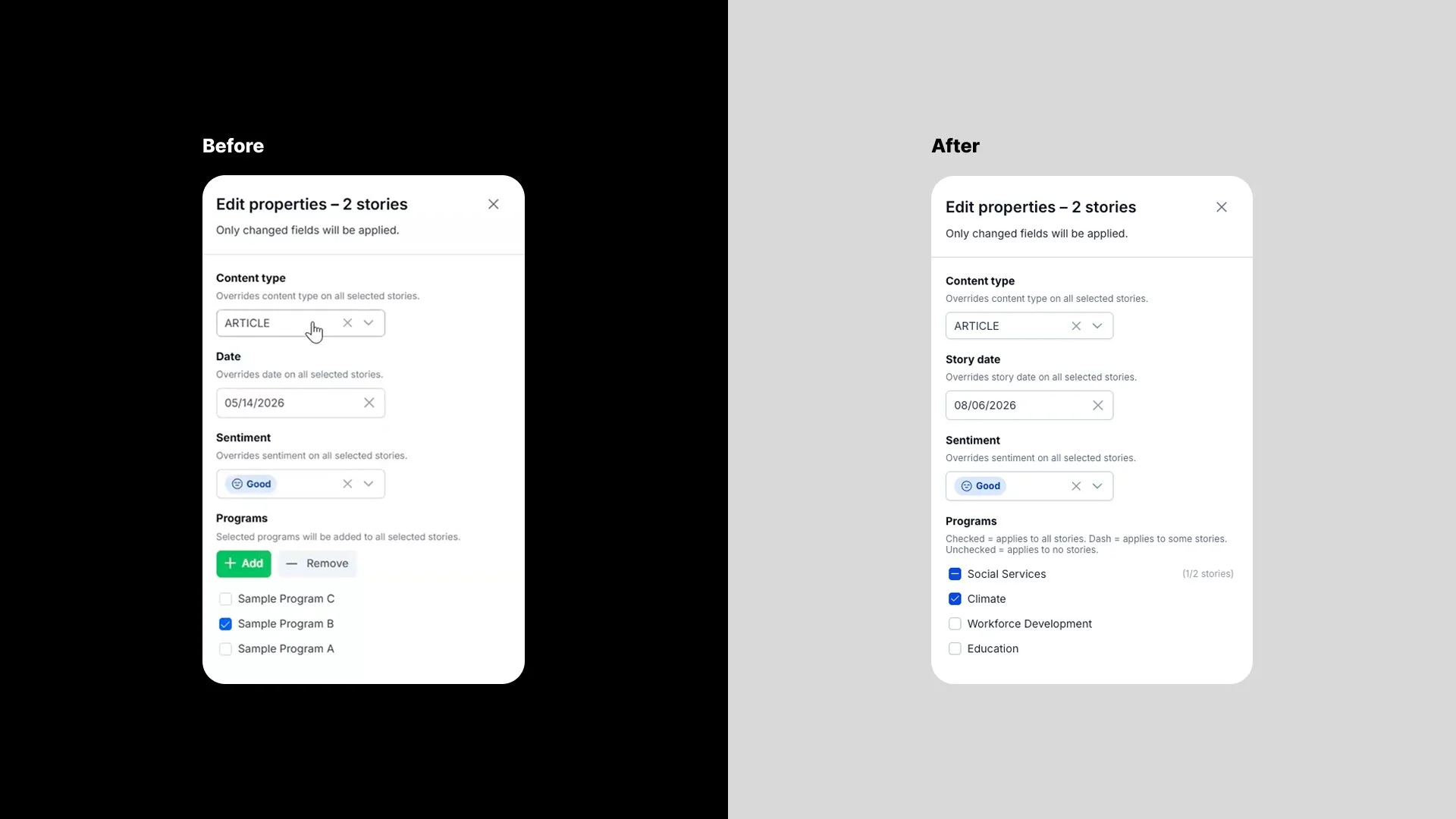
Bulk editing hid two different states
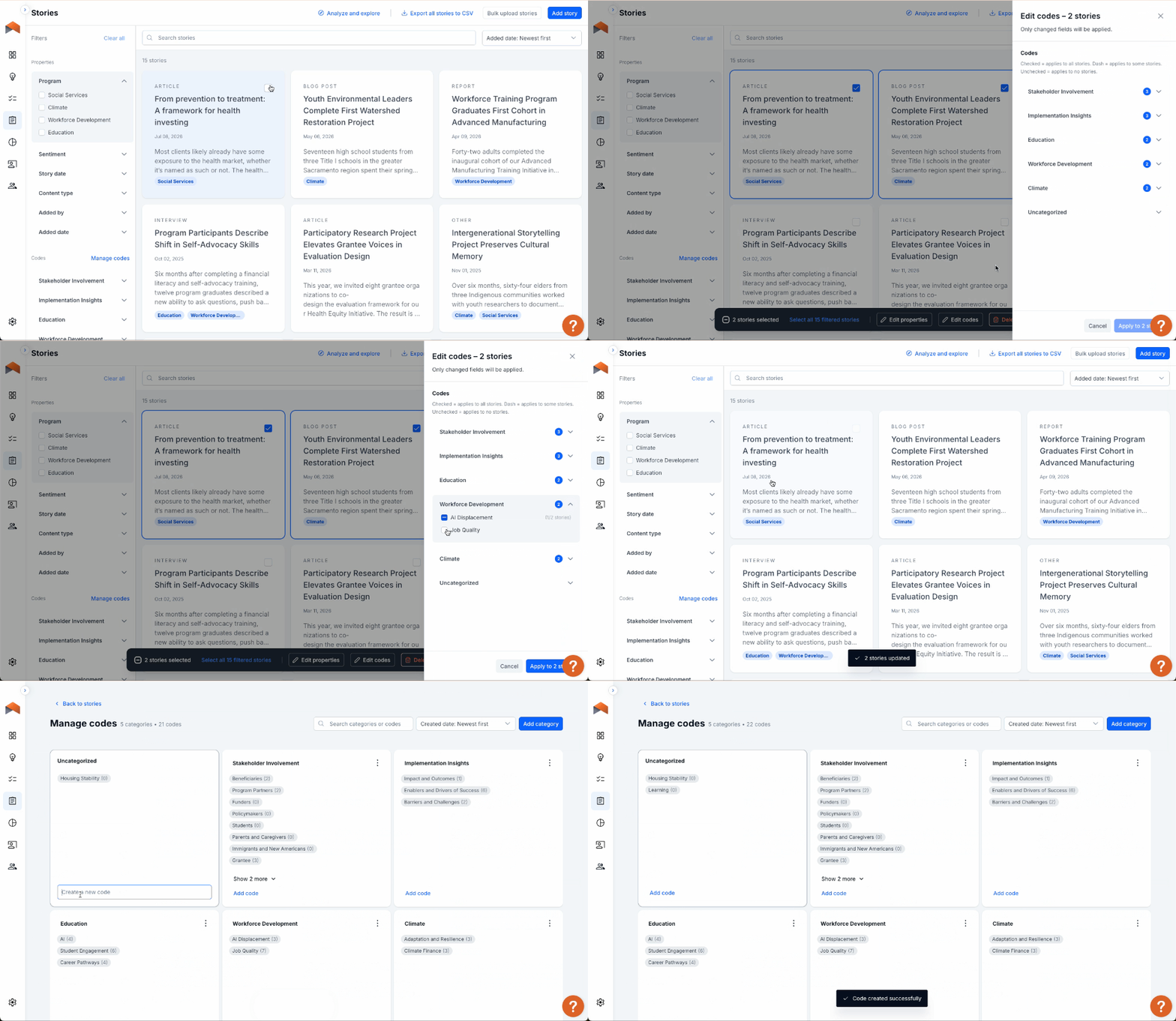
Add and remove buttons before user testing. Mixed state checkboxes after user testing.
"I would think by me checkboxing them, that's adding them."
— Kerry
The concept of adding and removing tags as separate actions didn’t make sense to our user testers. The wanted to make all adjustments in one go. Fix: status badges plus a mixed-state checkbox, borrowed from the existing filter pattern on the stories index page. Worth noting: the original pattern wasn't arbitrary — it was built to reduce scanning burden and simplify the task at hand — but testing showed the intent didn't survive contact with real users.
Finding 4One date field, three jobs
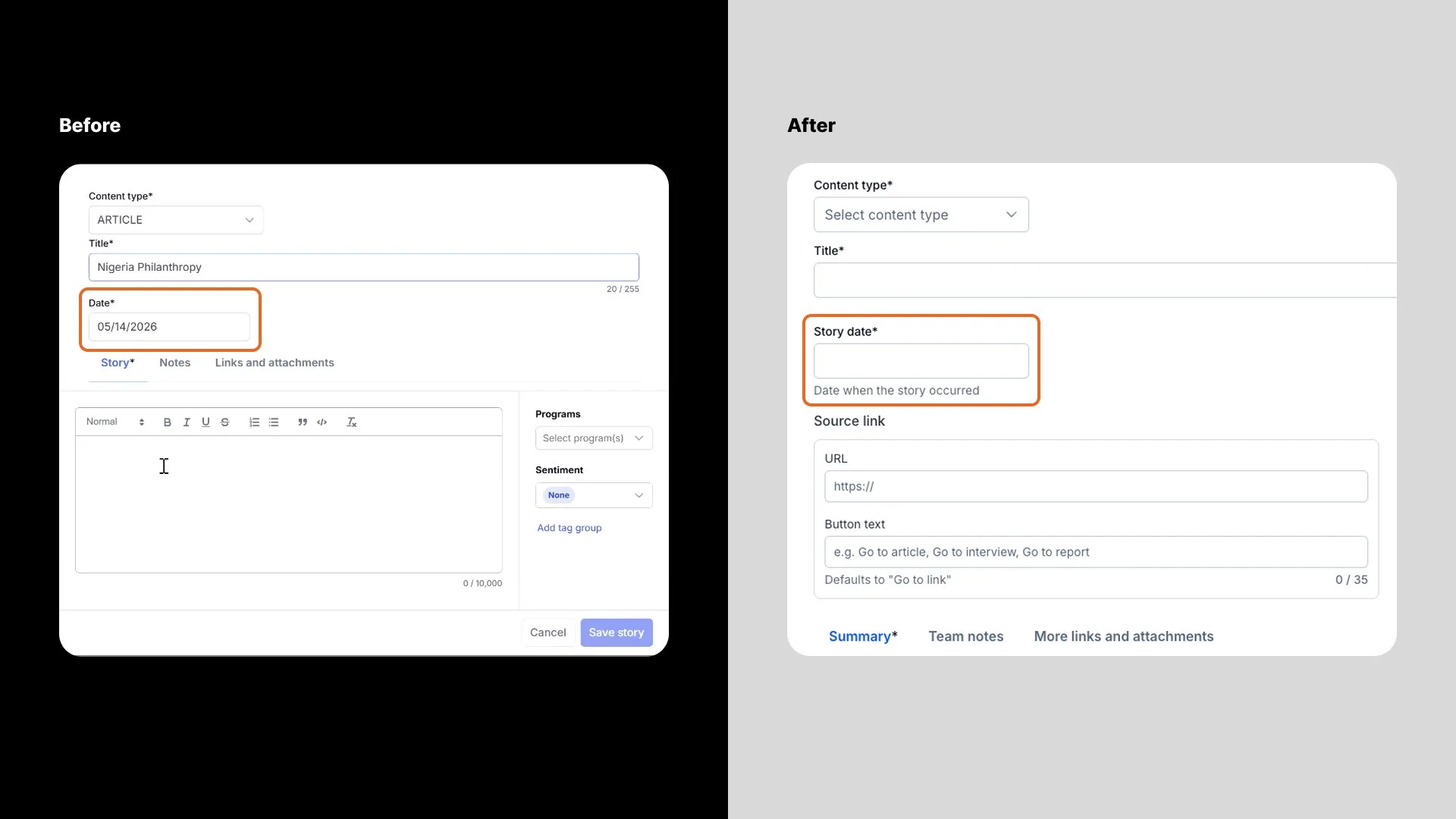
Ambiguous date field before user testing. Clearer label and helper text after user testing.
"Is it today's date, or the date of the event? I always remember to ask."
— Onyinye
"The date would reset... and I'd lose the original date."
— Carly, describing real data loss
Fix: The editable “Date” field became "Story Date" with the helper text “Date when the story occurred” to help clarify the meaning. The automatically generated date when the story was uploaded to the platform remained the "Added Date". When we showed our user tester Onyinye the fix at the follow-up debrief, she responded — "Yes, please."
OUTCOMES014 of 5 participants sais they were enthusiastically ready for the new feature set.
0280% target met
03All four fixes shipped ahead of General Availability
"With these improvements, you don’t also have to also buy other qualitative coding software. You can just do it all on the UpMetrics platform."
— Kerry
WHAT I LEARNED / WHAT I’D DO NEXT
01Ask the right questions of the right people
The tag identity finding taught me the most: the right deliverable from research isn't always a fix — sometimes it's a clearly scoped open question and a recommendation for who needs to be in the room next.
02Create a seamless pathway to chart creation
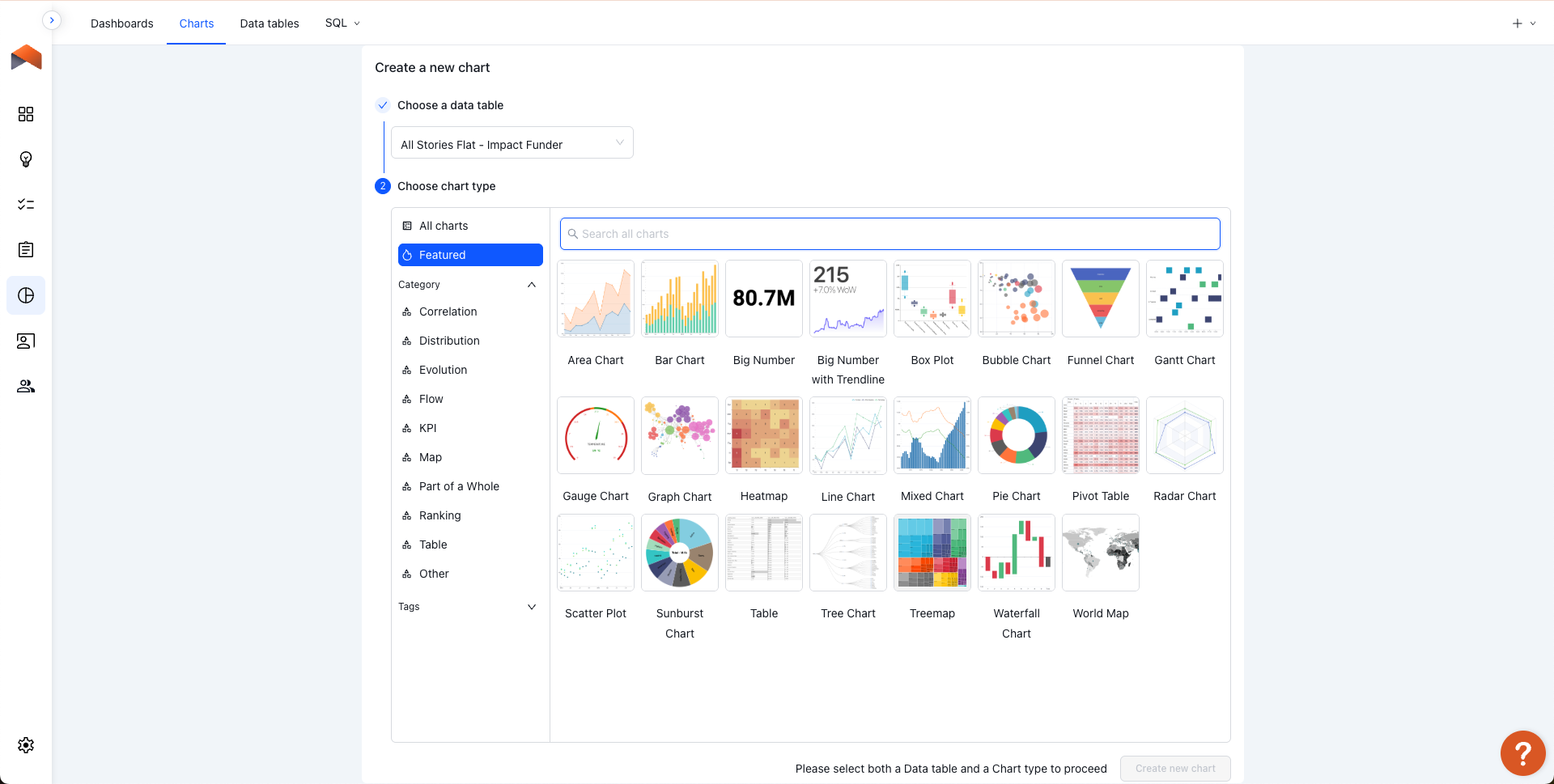
The connective tissue between Stories and Advanced Analytics kept surfacing across findings, and it did get addressed — a direct "Analyze and Explore" button now links from Stories straight into Advanced Analytics with the appropriate data table pre-selected. What's still open is carrying the active filter state over automatically, which is where I'd focus next.
03Integrate AI where it make sense
Longer-term, there's a broader direction worth exploring: shifting Stories from data collection toward AI-assisted insight generation — smarter summarization, code suggestions, eventually surfacing trends without manual chart-building.